
Develop alternatives in one project.
Keep distinct messages in one project so you can review each production independently and choose how Delivery selects among them.
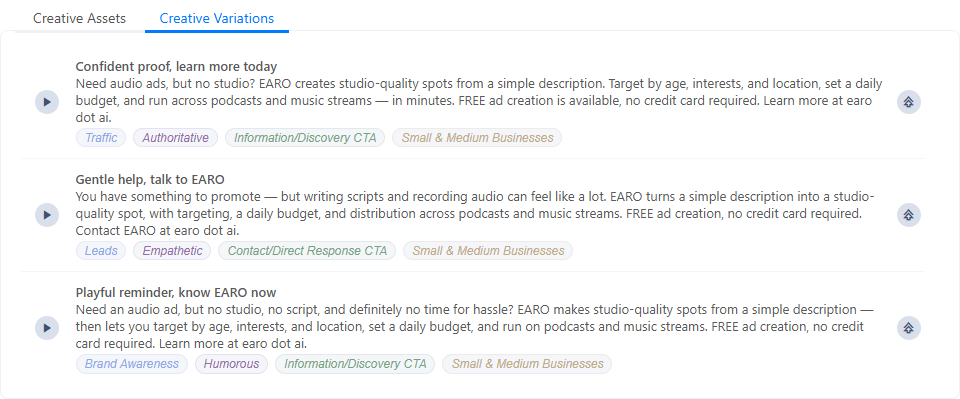
When to add another creative
- Message alternatives — compare different openings, offers, or calls to action.
- Audience strategy — prepare a distinct message for each broad segment.
- Tone — compare direct, conversational, premium, or urgent treatments.
- Duration — keep short and long edits together.
- Language — separate adaptations that need their own casting and review.
- Source preservation — keep the approved creative before an AI transformation.
Ways to create one
| Method | Starts with | Best for |
|---|---|---|
| Blank | An empty script and audio layout. | A fundamentally different message. |
| Duplicate | A copy of the selected creative. | Controlled edits that retain voice, assets, and structure. |
| Rephrase | An AI-generated treatment of the current script. | Exploring a new writing direction. |
| Dubbing | The current creative with its voice clips dubbed. | Adapting an approved creative into another language. |
| Import | Transcript and pre-recorded audio from a file. | Bringing an existing production into the project. |
Add, rename, and switch
- Use Blank to add an empty creative, or open a creative card's menu and choose Duplicate to copy it directly after the source.
- Double-click a creative name or choose Rename from its card menu. Type the new name, then press Enter or select the check mark. Escape or clicking outside cancels the edit.
- Select a creative card to open its script and audio layout.
- Check the selected card and its name before making edits or configuring Delivery.
A named duplicate receives (copy) after its title. Rename it to describe the actual difference. The card menu also offers Delete; deleting the only creative resets it to a blank creative.
What is isolated per creative
Each creative keeps its own script, vocal clips, music, SFX, dynamic definitions, selected assets, and synthesis state. Editing a duplicate should not rewrite its source.
Project-level production and Delivery settings may still affect more than one creative. Review those tabs after changing the creative set.
Compare alternatives fairly
- Normalize the brief and required claims.
- Keep loudness and output format consistent.
- Label the variable being tested.
- Listen from the same playback position and device.
- Record the approved creative name before configuring Delivery.
Connect creatives to Delivery
The Which creative panel can:
- rotate enabled creatives using weights;
- assign a known listener to a creative in an A/B test;
- play creatives in sequence for a known user;
- choose a creative from conditions, recipes, or AI-assisted rules;
- use the configured default when no condition matches.
Finish creative names, script approval, and audio review before using them in a published decision strategy.
Pre-delivery checklist
- Every enabled creative has intentional copy and assets.
- No required vocal remains stale.
- Dynamic values are valid for every creative that uses them.
- Names clearly match conditional mappings and reports.
- Default behavior is safe if targeting data is absent.